About this Viral Editing Resource
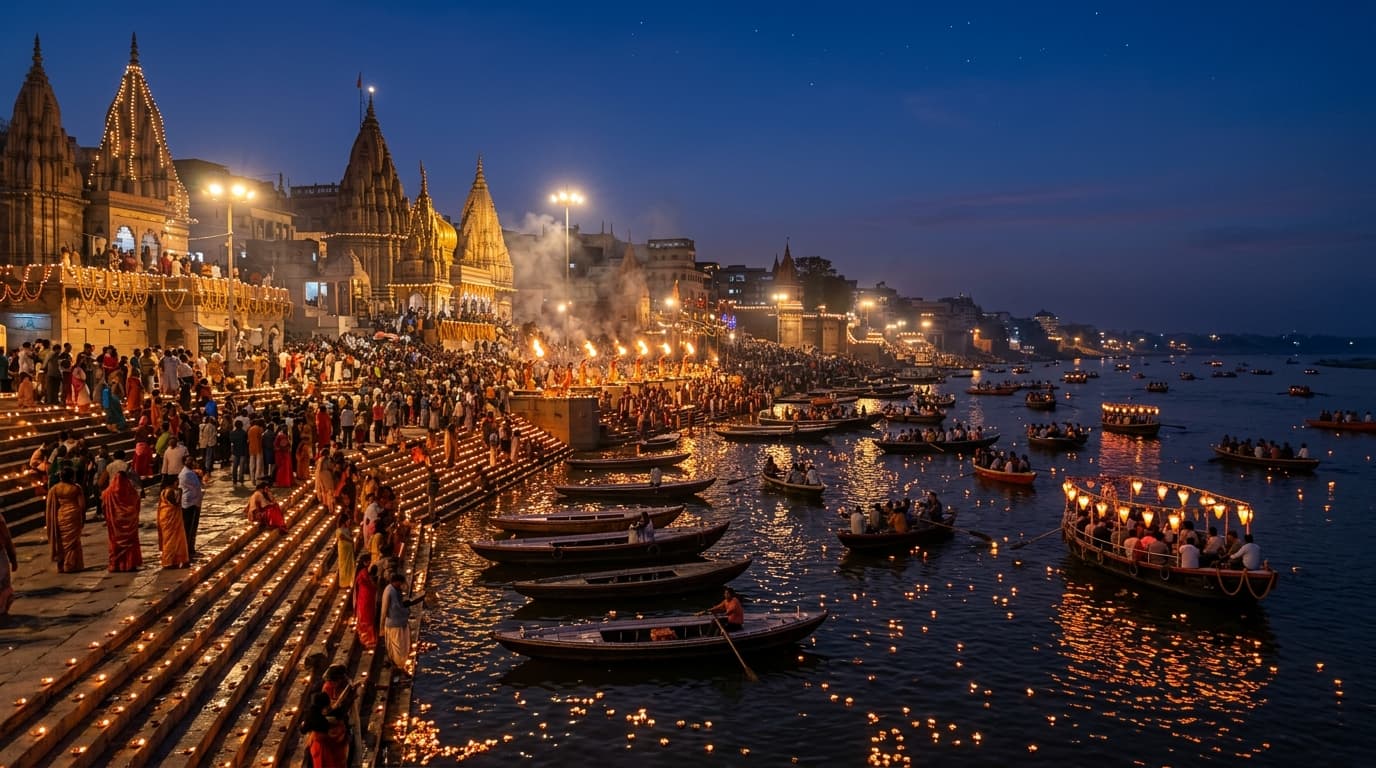
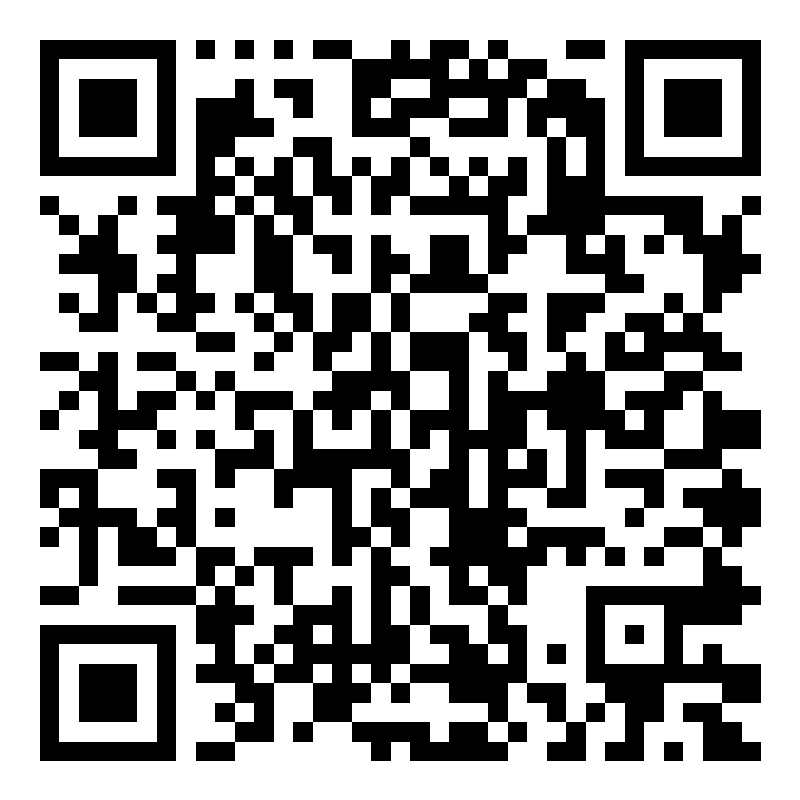
Scan this VN Code for seamless travel reels along the Ganges river ghats featuring water ripple dissolves, diya glow pulses, and traditional flute beat sync.
In recent social media trends across Instagram Reels, TikTok, and YouTube Shorts, creators using this exact style have experienced massive reach and algorithmic engagement. Below you will find the complete workflow, one-click prompts, and free downloadable assets.
VN Video Editor QR Code (60 FPS)
Scan directly with VN camera or save to phone gallery
⚡ How to Use This VN Code:
- 1Open VN Video Editor app on Android or iPhone.
- 2Tap the Scan icon [ -|- ] in the top-right corner of VN Home.
- 3Point your camera at this QR code OR tap Photos / Album to select the downloaded image.
- 4Tap “Use Template”, pick your clips, and VN will auto-sync the beats & transitions!
Step-by-Step Tutorial Workflow
Step 1: Scan QR Code in VN
Scan the code directly to import the full timeline with pre-timed audio markers and glow transitions.
Step 2: Replace 8 Travel Clips
Add your boat ride clips, Ganga Maha Aarti, temple lighting, and evening crowd moments.
Step 3: Apply Built-in Color Grading
The template includes a subtle teal-amber film look that lifts river shadows and highlights golden diyas.
LuminaEdit VIP Alerts
⚡ 48K+ Active EditorsInstant VN & AI Prompts
🔥 65K+ CreatorsFrequently Asked Questions
Common questions about this editing prompt and workflow.
Yes, the curve incorporates an exposure lift and black-point crush designed specifically for nighttime smartphone video.